Anydesk
AnyDesk, a fast remote access to computers

Safe & Secure
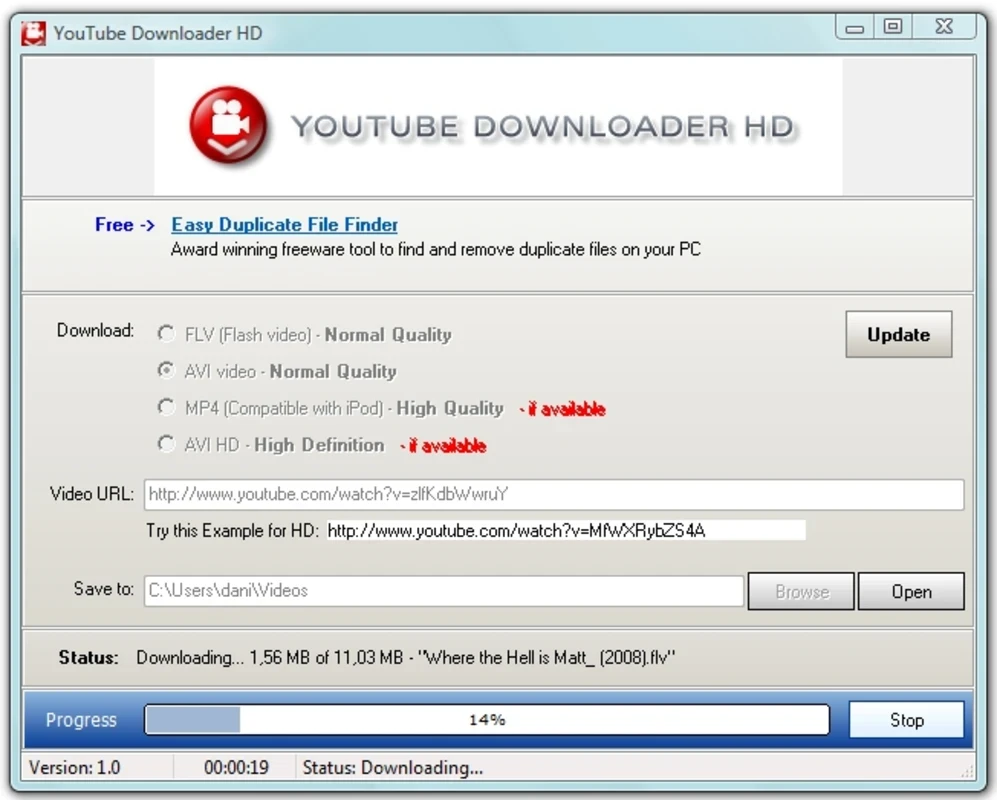

YouTube Downloader HD is a URL-based video downloader used for downloading a video from YouTube and queuing up as many as you want. As the name suggests, it supports high resolutions up to 1440p or 2160p, and direct integration with the browser enables users to get organic visual content on their PC for offline playback, without paying a penny.
The innovative tool supports a huge collection of file formats, batch downloading, and offers a visual-centric method for enhancing the user experience. It is lightweight, free to use, and a simple utility, proving best option for downloading videos across the world.
YouTube Downloader HD, developed by Mega Soft, falls under the Audio Downloader category and is a free-to-use app. The app, as a one-stop shop, enables users to enter a URL and download the desired content not only locally, but also to their PC for watching later. You only need to open the video normally, and the software will manage it easily.
The innovative app offers a simple interface with feature-packed functionality, allowing users to download YouTube videos in high-definition quality and convert them into another format. It snags single videos and archives them into an exclusive file automatically, making your access easy and fast.
The app offers an enhanced capability of providing high-definition quality content, as compared to multiple downloaders that commonly stick to standard 480p resolution to save on processing power; the app offers 720p, 1080p, and even higher quality. It follows the method of modern servers for storing HD content, grabbing separate video and audio streams, and merging them into an exclusive, crisp file automatically, without requiring manual effort.
Beyond downloading videos, the app works like a one-stop shop, offering seamless media conversion, as it supports up to 12 output formats, including MP3 for audio enthusiasts and AVI or MOV for editors, whether converting a presentation clip or an audio track, because it follows the philosophy that what you see is what you get. However, you will find the installation process slightly cluttered with dozens of offers. So, use the browser mode that feels convenient, but offers slow internal navigation, as compared to a dedicated modern browser.
The user interface is simple, decluttered, and most suitable, even for users with less technical skills. It offers innovative options for more advanced preferences. It doesn’t require standard installation; a portable build is available with a single click, a useful way for intermittent or travel use. The simplicity of the program makes everything easy and smooth, as you need only to paste a YouTube URL, select resolution and format, and let the downloader complete the procedure.
As we aforementioned, the app works with a single-file download procedure, asking users to paste a URL in the given field and click the ‘Download’ button; if the downloading process fails, simply add the clip to the download queue, and use it whenever you need. It is also necessary to select all items available in the queue list to save them, in case they remain unmarked. It is the best option to store multiple videos in the queue for snagging them simultaneously. You can also download videos in bulk, importing a list of URLs using a TXT file.
The app offers stable downloads with optimized routines, minimizing dropped connections, and also resume capability whenever you need it. It also helps to manage larger files, even on slower networks. It offers robust download speeds; however, it depends on user bandwidth. It maximizes practical throughput while maintaining connections.
The app offers a completely simple and safe-to-use download procedure, as it doesn’t contain drop-down menus, hidden areas, or even a toolbar. Instead of a complex UI, you will find a compact UI with options simply organized in plain sight. Access the combo menu located under the URL box to select the video quality. It even downloads the clip with the quality you want, but at a lower resolution.
Pros
Cons

AnyDesk, a fast remote access to computers

Accelerated Downloading with Internet Download Manager (IDM)

SHAREit for PC is the best option for a P2P file-sharing process without using Wi-Fi.

ShareMe for PC, a freeware and streamlined file-sharing app

uTorrent, a powerful, lightweight, and fastest P2P file-sharing software

Xender for PC, an effective and convenient file transfer utility